 븘로그
븘로그
공식 플레이어 가운데 "Internet Radio Player Ⅱ"는 2026년 2월 현재 유일하게 정상적인 이용이 불가능한 상태에 놓여 있다.
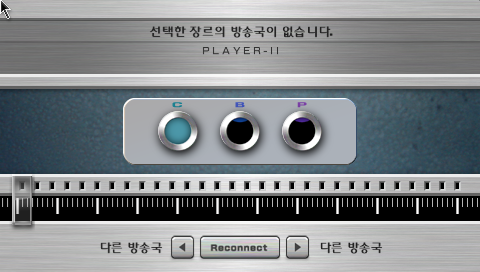
이 플레이어를 실행해 보면 어떤 장르를 선택하더라도 '선택한 장르의 방송국이 없습니다' 라는 내용의 메시지만 반복해서 출력된다.

그러나 이 메시지를 그대로 믿기는 어려운 것이, 지금 이 순간에도 Icecast Directory 사이트에 접속해 보면 청취 가능한 방송국들이 즐비한 것을 확인할 수 있기 때문이다.
그러므로 사실은 '없는 것'이 아니라 '못 찾고 있는 것.'
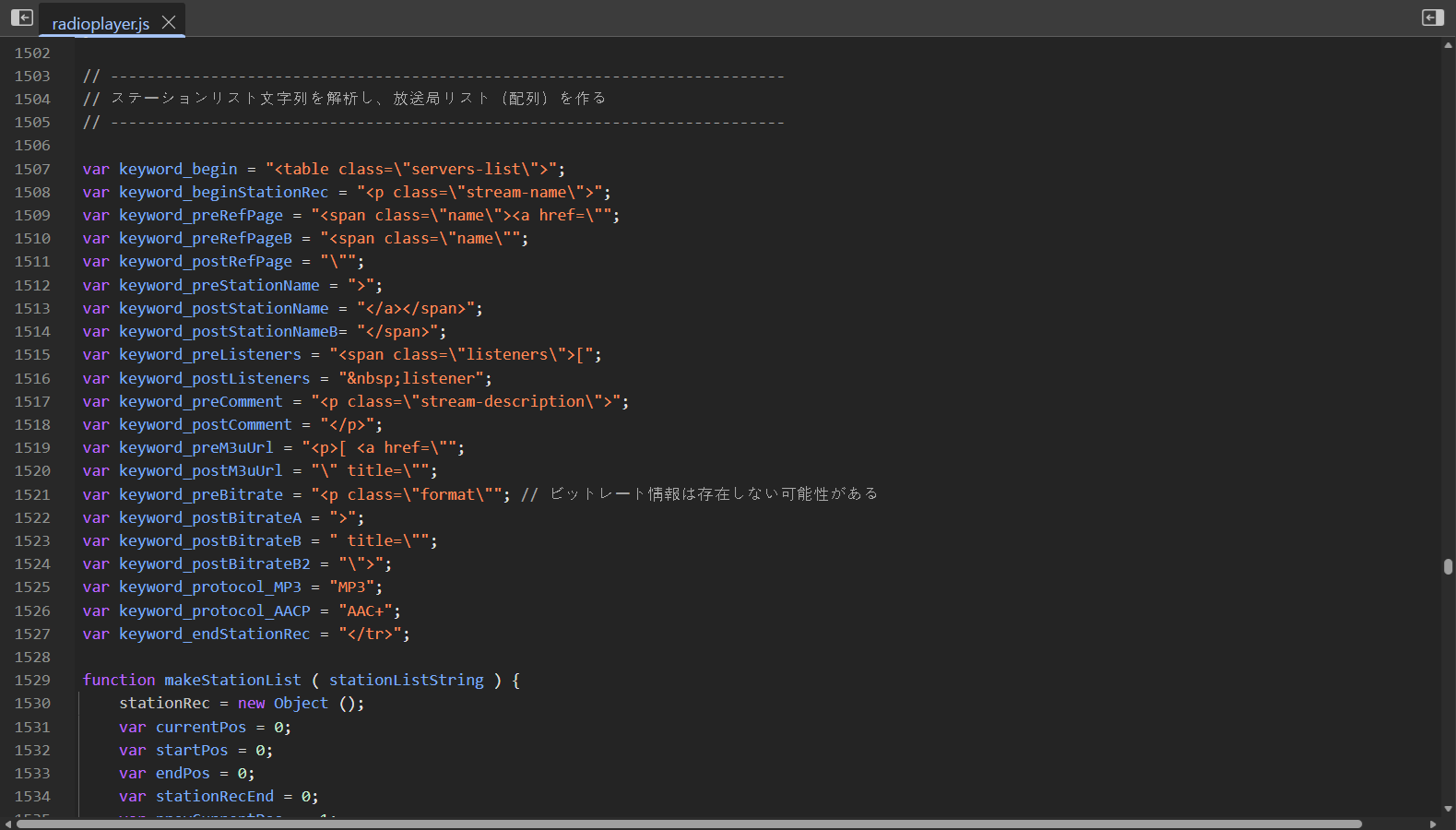
[Internet Radio Player Ⅱ]는 Icecast Directory에서 방송국 목록을 가져오도록 설계되어 있다.
다만 [Internet Radio Player Ⅰ]처럼 정식 API를 호출하여 응답을 받는 방식이 아니라 검색 결과 페이지의 HTML 소스를 일일이 파싱하는 방식으로 로직이 동작한다.
이러한 방식은 Icecast Directory 사이트의 HTML 구조에 매우 의존적이라는 치명적인 단점이 있기에, 결과적으로 현재는 해당 사이트의 디자인이 대대적으로 개편됨으로써 기존의 로직이 더 이상 통하지 않게 된 것으로 보인다.
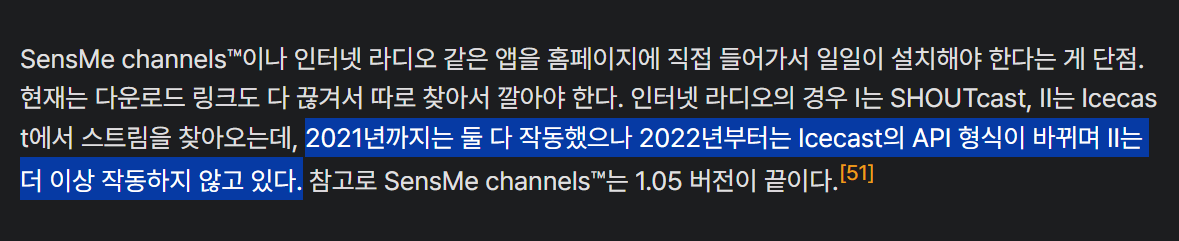
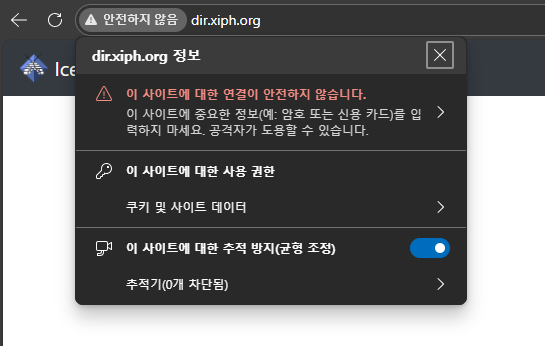
하지만 아직 희망은 존재한다.
Icecast Directory 사이트는 여전히 보안 연결이 사용되지 않은 HTTP 접속을 허용하고 있어서, 해당 로직을 현재의 사이트 구조에 맞게 일부 개조한다면 다시 정상적으로 작동할 여지가 충분하다.

실제로 이렇게 공식 플레이어의 소스를 일부 수정 후 실행해 본 결과 정상 작동하는 것을 볼 수 있었다!
그렇다면 과연 정확히 어떤 부분을 뜯어고쳐야 [Internet Radio Player Ⅱ]를 완벽하게 소생시킬 수 있을까?
검색 결과 페이지의 구조 분석
먼저, 현재 Icecast Directory 사이트의 HTML 구조가 어떻게 구성되어 있는지 짚고 넘어가 보자.
페이지 진입 경로
아래와 같은 규격의 URL을 통해, 장르별로 필터링된 '방송국 검색 결과' 페이지에 접근할 수 있다.
http://dir.xiph.org/genres/[임의의 장르명]
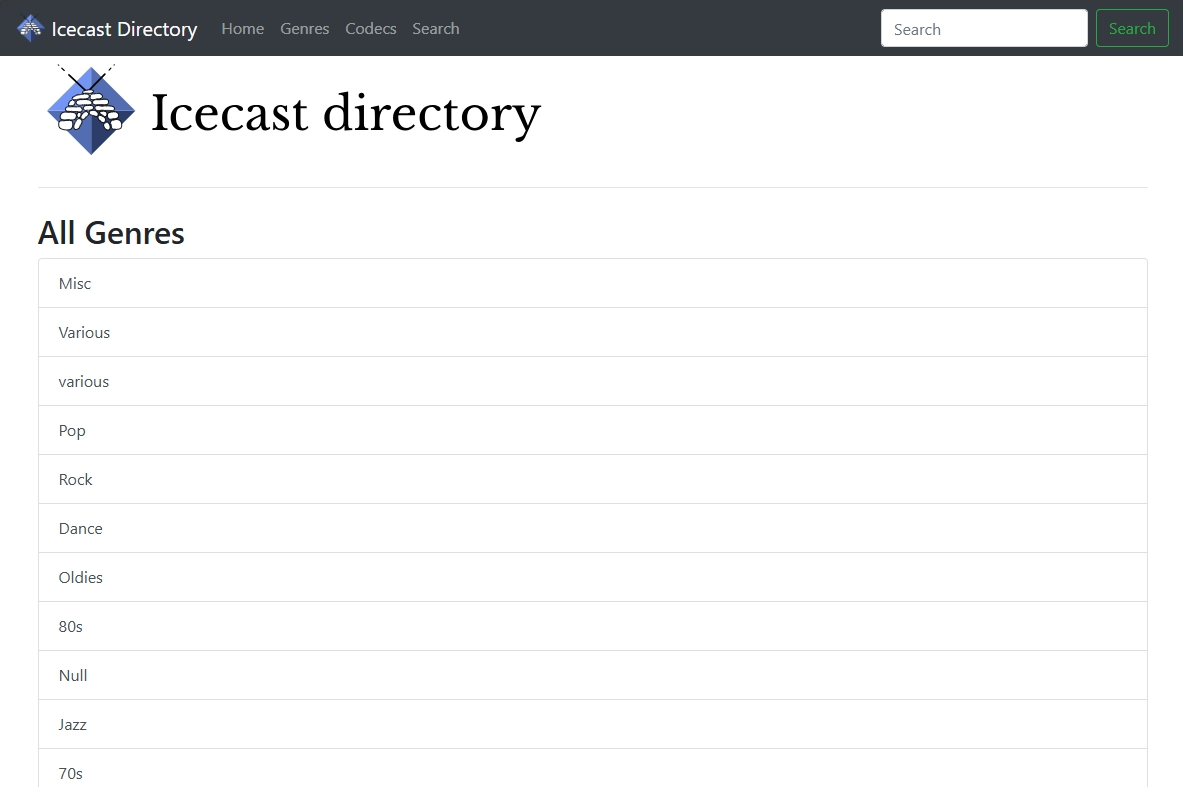
URL에 삽입되는 장르명으로는 이곳에서 제공되는 목록 내의 키워드만 사용 가능하다. 그 이외의 키워드를 삽입할 경우 오류 페이지로 연결된다.
페이지 구조
<html lang="en">
    <head> ... </head>
    <body>
        <nav class="navbar navbar-expand-lg navbar-dark bg-dark"> ... </nav>
        <main role="main" class="container">
            <h1> ... </h1>
            <hr class="my-4">
            <h2>Genre "Misc" Streams</h2>
            <div class="card shadow-sm mt-3">
                <div class="card-body">
                    <h5 class="card-title">Costa Del Mar - Chillout</h5>
                    <h6 class="card-subtitle mb-2 text-muted">On Air: Kazzey - Kiss</h6>
                    <p class="card-text">100% Chillout Music from IBIZA.</p>
                </div>
                <div class="card-footer d-block text-muted">
                    876 Listeners —
                    <a href="/genres/Misc" class="badge badge-secondary">Misc</a>
                    <a href="/genres/Various" class="badge badge-secondary">Various</a>
                    <a href="/genres/Electronic" class="badge badge-secondary">Electronic</a>
                    <a href="/genres/Lounge" class="badge badge-secondary">Lounge</a>
                    <a href="/genres/Ambient" class="badge badge-secondary">Ambient</a>
                    —
                    <a href="/codecs/MP3" class="badge badge-primary">MP3</a>
                    <div class="d-inline-block float-right">
                        <a href="http://radio4.cdm-radio.com:8020/stream-mp3-Chill_autodj" class="btn btn-sm btn-primary">Play</a>
                    </div>
                </div>
            </div>
            ...
            <nav aria-label="Pagination"> ... </nav>
        </main>
    </body>
</html>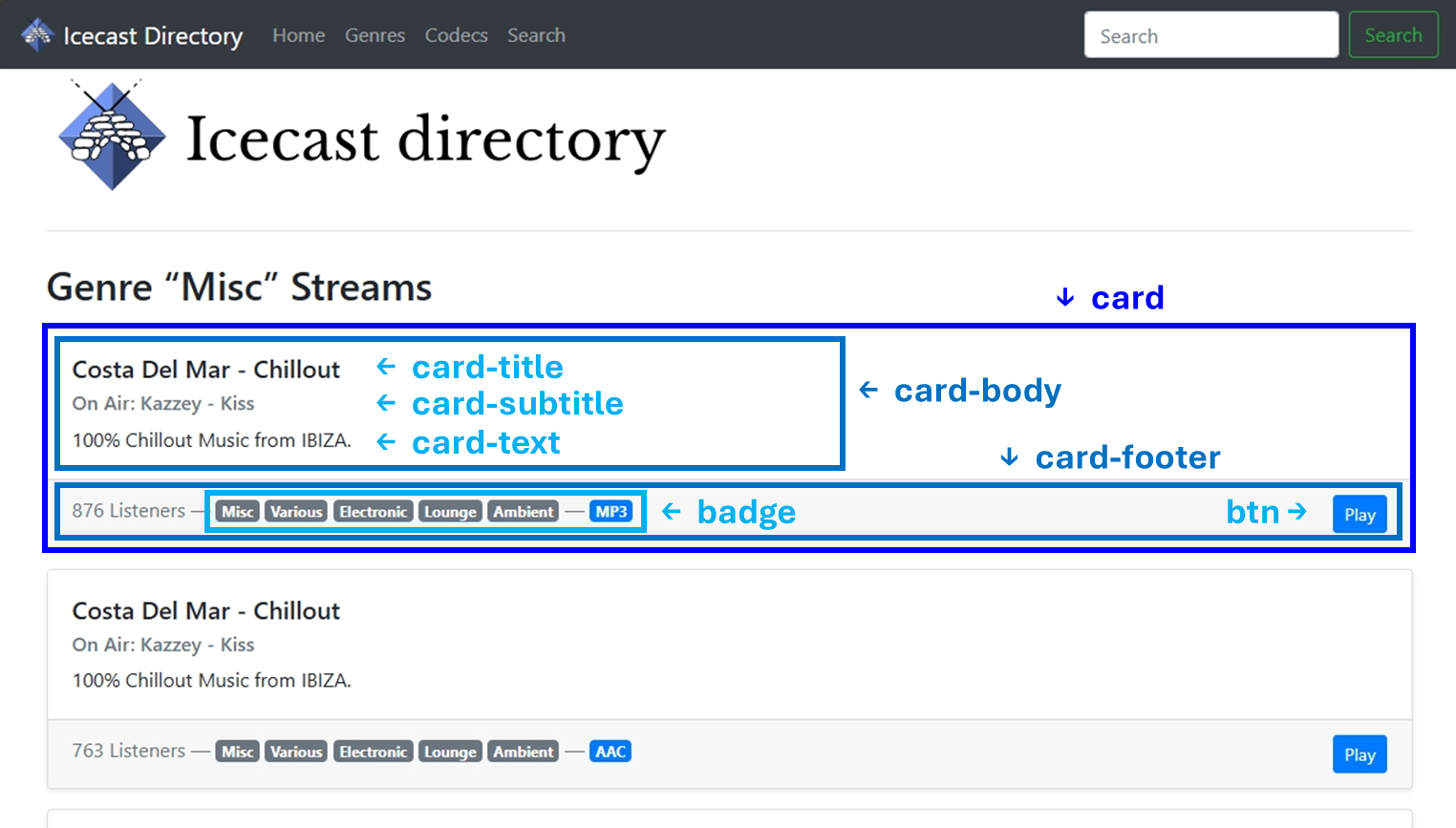
검색 결과 페이지 내에서 각 방송국들에 대한 정보는 card 클래스 요소 내에 렌더링된다.
card는 크게 card-body과 card-footer로 구분되며, 각 하위 클래스는 다음과 같은 세부 구성 요소를 포함한다.
card-body
• card-title (h5) : 방송국 이름
• card-subtitle (h6) : 현재 송출 중인 프로그램(음악) 정보
• card-text (p) : 방송국에 대한 상세 설명
card-footer
• badge (a) : 장르 또는 오디오 코덱 정보를 나타내는 태그형 링크
• btn (a) : 스트리밍 URL로 연결되는 버튼
플레이어의 소스 코드 수정
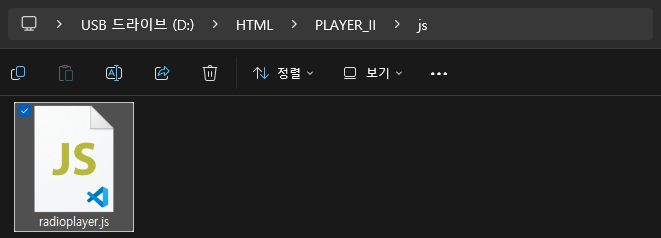
[Internet Radio Player Ⅱ]의 전체 소스 중에서 radioplayer.js 파일의 내용을 아래와 같이 수정한다.
원본 소스를 구하는 방법은 아래의 글을 참고.
PSP [인터넷 라디오] 기능 해부: ① 기본 작동과 공식 플레이어의 로직
PSP에는 [인터넷 라디오]라는 기능이 있다. 이 기능은 PSP에 내장된 인터넷 브라우저로 전용 플레이어를 실행하여, SHOUTcast 또는 icecast2 프로토콜로 송출되는 MP3/AAC+ 규격의 오디오 스트림을 청취하
blog.bsod.kr
icecastStreamDirectoryUrl_A
640~641번째 라인에서 icecastStreamDirectoryUrl_A 변수의 값을 다음과 같이 수정한다.
Before
var icecastStreamDirectoryUrl_A
	="http://dir.xiph.org/search?start=0&num=50&search=";
After
var icecastStreamDirectoryUrl_A
	="http://dir.xiph.org/genres/";
makeStationList ()
makeStationList () 메소드 직전에 선언된 HTML 파싱 관련 변수들을 현재 환경에 맞게 전부 재선언한다.
Before
var keyword_begin = "<table class=\"servers-list\">";
var keyword_beginStationRec = "<p class=\"stream-name\">";
var keyword_preRefPage = "<span class=\"name\"><a href=\"";
var keyword_preRefPageB = "<span class=\"name\"";
var keyword_postRefPage = "\"";
var keyword_preStationName = ">";
var keyword_postStationName = "</a></span>";
var keyword_postStationNameB= "</span>";
var keyword_preListeners = "<span class=\"listeners\">[";
var keyword_postListeners = " listener";
var keyword_preComment = "<p class=\"stream-description\">";
var keyword_postComment = "</p>";
var keyword_preM3uUrl = "<p>[ <a href=\"";
var keyword_postM3uUrl = "\" title=\"";
var keyword_preBitrate = "<p class=\"format\""; // ビットレート情報は存在しない可能性がある
var keyword_postBitrateA = ">";
var keyword_postBitrateB = " title=\"";
var keyword_postBitrateB2 = "\">";
var keyword_protocol_MP3 = "MP3";
var keyword_protocol_AACP = "AAC+";
var keyword_endStationRec = "</tr>";After
var keyword_begin = "<main";
var keyword_cardStart = "<div class=\"card shadow-sm mt-3\">";
var keyword_cardEnd = "</div>";
var keyword_mainEnd = "</main>";
var keyword_stationNameStart = "<h5 class=\"card-title\">";
var keyword_stationNameEnd = "</h5>";
var keyword_commentStart = "<h6 class=\"card-subtitle mb-2 text-muted\">On Air: ";
var keyword_commentEnd = "</h6>";
var keyword_hrefStart = "href=\"";
var keyword_footerStart = "class=\"card-footer d-block text-muted\">";
var keyword_playButton = "class=\"d-inline-block float-right\"";
var keyword_listenersText = " Listeners";
var keyword_aacPlus = "/codecs/AAC+";
var keyword_mp3 = "codecs/MP3";
그리고, makeStationList () 메소드를 다음과 같이 재작성한다.
기존 코드에서 State Transition 기반으로 꽤 복잡하게 짜여 있었던 부분을 들어내고, card를 순회하는 동작이 중심이 되는 직관적인 구조로 재설계했다.
Before
function makeStationList ( stationListString ) {
    stationRec = new Object ();
    var currentPos = 0;
	var startPos = 0;
	var endPos = 0;
	var stationRecEnd = 0;
    var prevCurrentPos = -1;
    var state = 0;
    var count = 0;
	psp.sysRadioPrepareForStrOperation (stationListString);
    var length = psp.sysRadioStrLength ();
    var bExit = false;
	var bNoRefPage = false;
    var stationList = new Array (0);
	bInAnalizingStationListString = true;
    while ( bExit == false && bForcedExitFlag == false ) {
		switch ( state ) {
		case 0: // 先頭をスキップ
			currentPos = psp.sysRadioStrIndexOf (keyword_begin, currentPos);
			state = 1;
			break;
		case 1: // 関連ページ URL
			bNoRefPage = false;
			stationRec.rp = stationRec.name = stationRec.lc = stationRec.comment
				= stationRec.m3u = stationRec.br = "";
			stationRec.protocol = "MP3";
			startPos
				= stationListString.indexOf (keyword_beginStationRec, currentPos);
			if ( startPos < 0 ) { bExit = true; break; }
			stationRecEnd
				= psp.sysRadioStrIndexOf (keyword_endStationRec, currentPos);
			startPos
				= psp.sysRadioStrIndexOf (keyword_preRefPage, currentPos);
			if ( startPos < stationRecEnd ) {
				startPos += keyword_preRefPage.length;
				endPos = psp.sysRadioStrIndexOf (keyword_postRefPage, startPos);
				stationRec.rp = psp.sysRadioStrSlice (startPos, endPos);
				currentPos = endPos + keyword_postRefPage.length;
			}
			else {
				startPos
					= psp.sysRadioStrIndexOf (keyword_preRefPageB, currentPos);
				if ( 0 <= startPos ) currentPos = startPos + keyword_preRefPageB.length;
				bNoRefPage = true;
			}
			++state;
			break;
		case 2: // 局名
			startPos
				= psp.sysRadioStrIndexOf
				(keyword_preStationName, currentPos);
			if ( startPos < 0 ) {
				bExit = true;
				break;
			}
			startPos += keyword_preStationName.length;
			if ( bNoRefPage ) {
				endPos
					= psp.sysRadioStrIndexOf
					(keyword_postStationNameB, startPos);
				stationRec.name = psp.sysRadioStrSlice (startPos, endPos);
				currentPos = endPos + keyword_postStationNameB.length;
			}
			else {
				endPos
					= psp.sysRadioStrIndexOf
					(keyword_postStationName, startPos);
				stationRec.name = psp.sysRadioStrSlice (startPos, endPos);
				currentPos = endPos + keyword_postStationName.length;
			}
			++state;
			break;
		case 3: // リスナーカウント
			startPos
				= psp.sysRadioStrIndexOf
				(keyword_preListeners, currentPos);
			if ( startPos < 0 || currentPos == startPos ) {
				bExit = true;
				break;
			}
			startPos += keyword_preListeners.length;
			endPos
				= psp.sysRadioStrIndexOf
				(keyword_postListeners, startPos);
			stationRec.lc = psp.sysRadioStrSlice (startPos, endPos);
			currentPos = endPos + keyword_postListeners.length;
			++state;
			break;
		case 4: // コメント
			startPos
				= psp.sysRadioStrIndexOf
				(keyword_preComment, currentPos);
			if ( startPos < 0 || currentPos == startPos ) {
				bExit = true;
				break;
			}
			startPos += keyword_preComment.length;
			endPos
				= psp.sysRadioStrIndexOf
				(keyword_postComment, startPos);
			stationRec.comment = stationListString.slice (startPos, endPos);
			currentPos = endPos + keyword_postComment.length;
			++state;
			break;
		case 5: // M3U URL
			startPos
				= psp.sysRadioStrIndexOf
				(keyword_preM3uUrl, currentPos);
			if ( startPos < 0 || currentPos == startPos ) {
				bExit = true;
				break;
			}
			startPos += keyword_preM3uUrl.length;
			endPos
				= psp.sysRadioStrIndexOf
				(keyword_postM3uUrl, startPos);
			stationRec.m3u = psp.sysRadioStrSlice (startPos, endPos);
			currentPos = endPos + keyword_postM3uUrl.length;
			++state;
			break;
		case 6: // ビットレート
			startPos
				= psp.sysRadioStrIndexOf
				(keyword_preBitrate, currentPos);
			if ( startPos < 0 || currentPos == startPos ) {
				bExit = true;
				break;
			}
			startPos += keyword_preBitrate.length;
			// " title=\"" と続く場合はビットレート情報あり
			// ">" と続く場合はビットレート情報なし
			var endPosA
				= psp.sysRadioStrIndexOf
				(keyword_postBitrateA, startPos);
			var endPosB
				= psp.sysRadioStrIndexOf
				(keyword_postBitrateB, startPos);
			if ( endPosA < endPosB ) // ビットレート情報なし
				currentPos = endPosA + keyword_postBitrateA.length;
			else {
				startPos += keyword_postBitrateB.length;
				endPos
					= psp.sysRadioStrIndexOf
					(keyword_postBitrateB2, startPos);
				stationRec.br = psp.sysRadioStrSlice (startPos, endPos);
				currentPos = endPos + keyword_postBitrateB2.length;
			}
			++state;
			break;
		case 7: // プロトコル
			var protocol_MP3
				= psp.sysRadioStrIndexOf
				(keyword_protocol_MP3, currentPos);
			var protocol_AACP
				= psp.sysRadioStrIndexOf
				(keyword_protocol_AACP, currentPos);
			if ( 0 <= protocol_MP3 && protocol_MP3 < stationRecEnd )
				stationRec.protocol = "M";
			else if ( 0 <= protocol_AACP && protocol_AACP < stationRecEnd )
				stationRec.protocol = "A";
			else stationRec.protocol = "OTHER"; // 処理対象外のプロトコル
			currentPos = stationRecEnd + keyword_endStationRec.length;
			if ( ( currentPos < prevCurrentPos )
				 || ( prevCurrentPos == currentPos )
				 || ( length - 1 <= currentPos ) ) {
				bExit = true;
			}
			else {
				if ( ( bAacpSupport && stationRec.protocol == "A" )
					 || stationRec.protocol == "M" ) {
					stationList.push
						({stationName: stationRec.name,
							  comment: stationRec.comment,
								   br: stationRec.br,
								  m3u: stationRec.m3u,
								 aacp: (stationRec.protocol == "A")
								       ? true : false,
							  refPage: stationRec.rp,
							streamUrl: ""
								});
					++count;
					if ( maxNumStation <= count ) bExit = true;
				}
			}
			prevCurrentPos = currentPos;
			state = 1;
			break;
		}
    }
	psp.sysRadioStrOperationTerminate ();

	// 強制中断された場合は配列を一旦破棄し、空の配列を返す。
	if ( bForcedExitFlag ) {
		delete stationList;
		stationList = new Array (0);
	}
	bInAnalizingStationListString = false;
	delete stationRec;

    return ( stationList );
}
After
function makeStationList ( stationListString ) {
    stationRec = new Object ();
    var currentPos = 0;
	var startPos = 0;
	var endPos = 0;
	var count = 0;
	psp.sysRadioPrepareForStrOperation (stationListString);
    var stationList = new Array (0);
	bInAnalizingStationListString = true;

	currentPos = psp.sysRadioStrIndexOf (keyword_begin, currentPos);  // 웹페이지 선두 스킵
	if ( currentPos < 0 ) {  // 웹페이지 내에서 main 태그를 찾지 못한 경우
		psp.sysRadioStrOperationTerminate ();
		bInAnalizingStationListString = false;
		return stationList;
	}

    while ( bForcedExitFlag == false && count < maxNumStation ) {  // 웹페이지 내 모든 card 순회
		var cardStart = psp.sysRadioStrIndexOf (keyword_cardStart, currentPos);
		if ( cardStart < 0 ) break;
		var nextCard = psp.sysRadioStrIndexOf (keyword_cardStart, cardStart + 10);
		var mainEnd = psp.sysRadioStrIndexOf (keyword_mainEnd, cardStart);
		var cardEnd;

		if ( nextCard > 0 && (mainEnd < 0 || nextCard < mainEnd) ) {  // 다음 card가 존재하는 경우
			cardEnd = nextCard;
		} else if ( mainEnd > 0 ) {  // 현재 순회 중인 card가 마지막 card인 경우
			cardEnd = mainEnd;
		} else {
			break;
		}

		stationRec.name = "";
		stationRec.comment = "";
		stationRec.lc = "0";
		stationRec.streamUrl = "";
		stationRec.protocol = "MP3";
		stationRec.br = "";

		// STEP 1: 방송국 이름 추출
		startPos = psp.sysRadioStrIndexOf (keyword_stationNameStart, cardStart);
		if ( startPos > cardStart && startPos < cardEnd ) {
			startPos += keyword_stationNameStart.length;
			endPos = psp.sysRadioStrIndexOf (keyword_stationNameEnd, startPos);
			if ( endPos > startPos && endPos < cardEnd ) {
				stationRec.name = psp.sysRadioStrSlice (startPos, endPos);  // card-title 클래스 내 텍스트 파싱
			}
		}
		if ( stationRec.name.length == 0 ) {
			currentPos = cardEnd;  // 텍스트를 찾지 못할 경우 유효하지 않은 card로 간주
			continue;
		}

		// STEP 2: 현재 송출 중인 프로그램 정보 추출
		startPos = psp.sysRadioStrIndexOf (keyword_commentStart, cardStart);
		if ( startPos > cardStart && startPos < cardEnd ) {
			startPos += keyword_commentStart.length;
			endPos = psp.sysRadioStrIndexOf (keyword_commentEnd, startPos);
			if ( endPos > startPos && endPos < cardEnd ) {
				stationRec.comment = psp.sysRadioStrSlice (startPos, endPos);  // card-subtitle 클래스 내 텍스트 파싱
			}
		}

		// STEP 3: 청취자 수 추출
		var footerPos = psp.sysRadioStrIndexOf (keyword_footerStart, cardStart);
		if (footerPos > cardStart && footerPos < cardEnd) {
			startPos = footerPos + keyword_footerStart.length;
			endPos = psp.sysRadioStrIndexOf(keyword_listenersText, startPos);
			if (endPos > startPos && endPos < cardEnd) {
				var tempText = psp.sysRadioStrSlice(startPos, endPos);
				var numMatch = tempText.match(/\d+/);  // footer 내 "000 Listeners" 텍스트에서 숫자 부분만 추출
				if (numMatch) {
					stationRec.lc = numMatch[0];
				}
			}
		}

		// STEP 4: 프로토콜 정보 추출 (AAC+ 또는 MP3)
		var hasAACP = psp.sysRadioStrIndexOf (keyword_aacPlus, cardStart);
		var hasMP3 = psp.sysRadioStrIndexOf (keyword_mp3, cardStart);
		if ( hasAACP > cardStart && hasAACP < cardEnd ) {
			stationRec.protocol = "A";
		} else if ( hasMP3 > cardStart && hasMP3 < cardEnd ) {
			stationRec.protocol = "M";
		} else {
			stationRec.protocol = "OTHER";
		}

		// STEP 5: 스트림 URL 추출
		var BtnPos = psp.sysRadioStrIndexOf (keyword_playButton, cardStart);
		if ( BtnPos > cardStart && BtnPos < cardEnd ) {
			startPos = psp.sysRadioStrIndexOf(keyword_hrefStart, BtnPos);
			if (startPos > BtnPos && startPos < cardEnd) {
				startPos += keyword_hrefStart.length;
				endPos = psp.sysRadioStrIndexOf ("\"", startPos);
				if ( endPos > startPos && endPos < cardEnd ) {
					stationRec.streamUrl = psp.sysRadioStrSlice (startPos, endPos);  // btn 클래스 내 href 속성값 파싱
				}
			}
		}
		if ( stationRec.streamUrl.length == 0 ) {
			currentPos = cardEnd;	// 스트림 URL을 찾지 못할 경우 유효하지 않은 card로 간주
			continue;
		}

		// STEP 6: 비트레이트 정보 추출
		// 스트림 URL 내에 "_128" 또는 "/128/" 등의 패턴이 있는지 확인하여 비트레이트를 추정
		if ( stationRec.streamUrl.indexOf ("_128") > 0 || stationRec.streamUrl.indexOf ("/128/") > 0 ) {
			stationRec.br = "128kbps";
		} else if ( stationRec.streamUrl.indexOf ("_64") > 0 || stationRec.streamUrl.indexOf ("/64/") > 0 ) {
			stationRec.br = "64kbps";
		} else if ( stationRec.streamUrl.indexOf ("_192") > 0 || stationRec.streamUrl.indexOf ("/192/") > 0 ) {
			stationRec.br = "192kbps";
		} else if ( stationRec.streamUrl.indexOf ("_320") > 0 || stationRec.streamUrl.indexOf ("/320/") > 0 ) {
			stationRec.br = "320kbps";
		}

		// STEP 7: 단일 card에서 파싱한 정보를 StationList 배열에 추가
		if ( ( bAacpSupport && stationRec.protocol == "A" ) || stationRec.protocol == "M" ) {
			stationList.push ({
				stationName: stationRec.name,
				comment: stationRec.comment,
				lc: stationRec.lc,
				br: stationRec.br,
				m3u: "",
				aacp: (stationRec.protocol == "A") ? true : false,
				refPage: "",
				streamUrl: stationRec.streamUrl
			});
			++count;
		}

		currentPos = cardEnd;
    }

	psp.sysRadioStrOperationTerminate ();

	// 작업이 강제 중단된 경우 빈 배열 반환
	if ( bForcedExitFlag ) {
		delete stationList;
		stationList = new Array (0);
	}
	bInAnalizingStationListString = false;
	delete stationRec;

    return ( stationList );
}
최종적으로 수정된 radioplayer.js 파일은 다음과 같다.
플레이어 실행
위 내용을 따라 수정한 radioplayer.js가 포함된 [Internet Radio Player Ⅱ]의 전체 소스를 준비한 뒤, 아래의 두 가지 방법 중 본인에게 적합한 쪽을 선택하여 플레이어를 실행할 수 있는 환경을 구축한다.
- 소스 전체를 메모리 스틱에 로컬 파일로 저장해 둔다.
- 개인 웹 서버에 해당 소스를 업로드하여 호스팅한다.
메모리 스틱에 소스 파일을 저장하고 로컬 환경에서 플레이어를 실행하는 방법은 아래의 글을 참고.
PSP [인터넷 라디오] 기능 해부: ② 공식 플레이어를 메모리 스틱에서 실행
이전에 올린 글에서는 PSP의 [인터넷 라디오] 기능이 작동하는 기본적인 원리와 함께, 당시 SCE가 제공했던 공식 플레이어들의 핵심 로직을 소개했었다. PSP [인터넷 라디오] 기능 해부: ① 기본 작
blog.bsod.kr
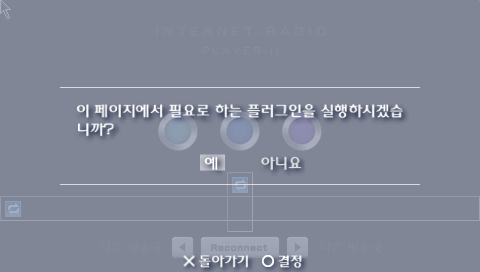
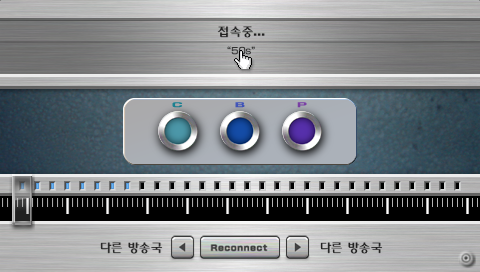

수정된 radioplayer.js의 로직을 기반으로 방송국 검색부터 스트림 재생까지 모두 안정적으로 동작하는 것을 확인할 수 있다.
'탐구' 카테고리의 다른 글
| '삼성 센스 500' 노트북 관리하기 (0) | 2026.03.08 |
|---|---|
| PSP [인터넷 라디오] 기능 해부: ② 공식 플레이어를 메모리 스틱에서 실행 (1) | 2026.02.08 |
| PSP [인터넷 라디오] 기능 해부: ① 기본 작동과 공식 플레이어의 로직 (1) | 2026.01.29 |


댓글